
Table of Contents
Granted a token approval lately? Probably – even if you can’t recall one specifically. Using a DeFi (decentralised finance) protocol or swapping on a DEX (decentralised exchange) almost always involves one. Most people grant them and move on. Most of those approvals are still active.
Most of the time it doesn’t cause problems. But knowing what you’ve signed off on – and being able to clear it out – is worth understanding.
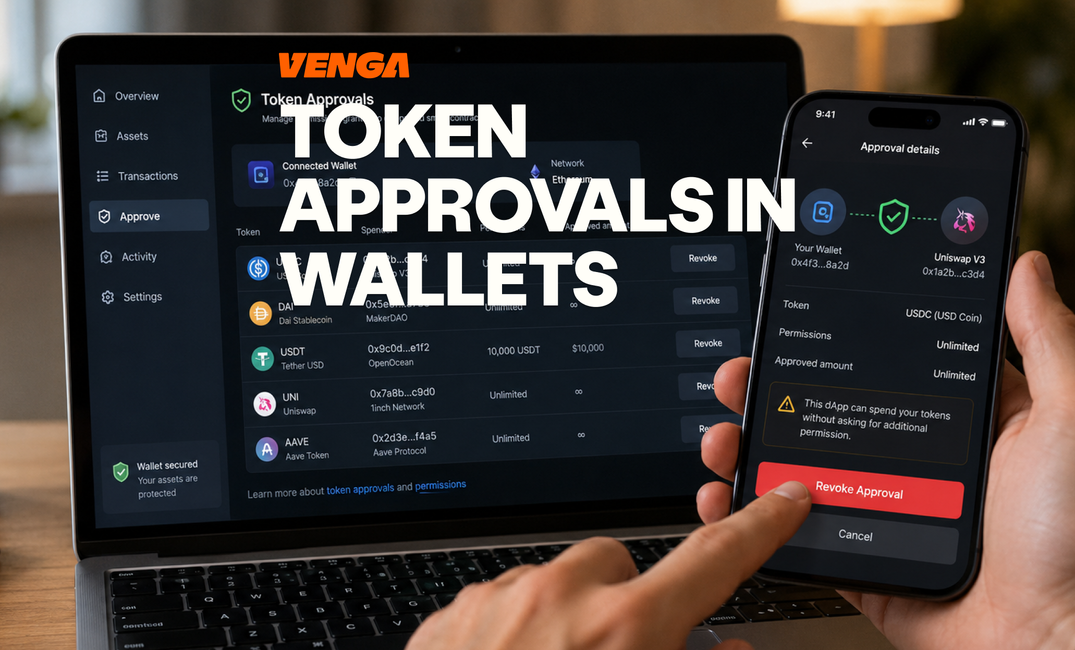
What Are Token Approvals in Crypto Wallets?
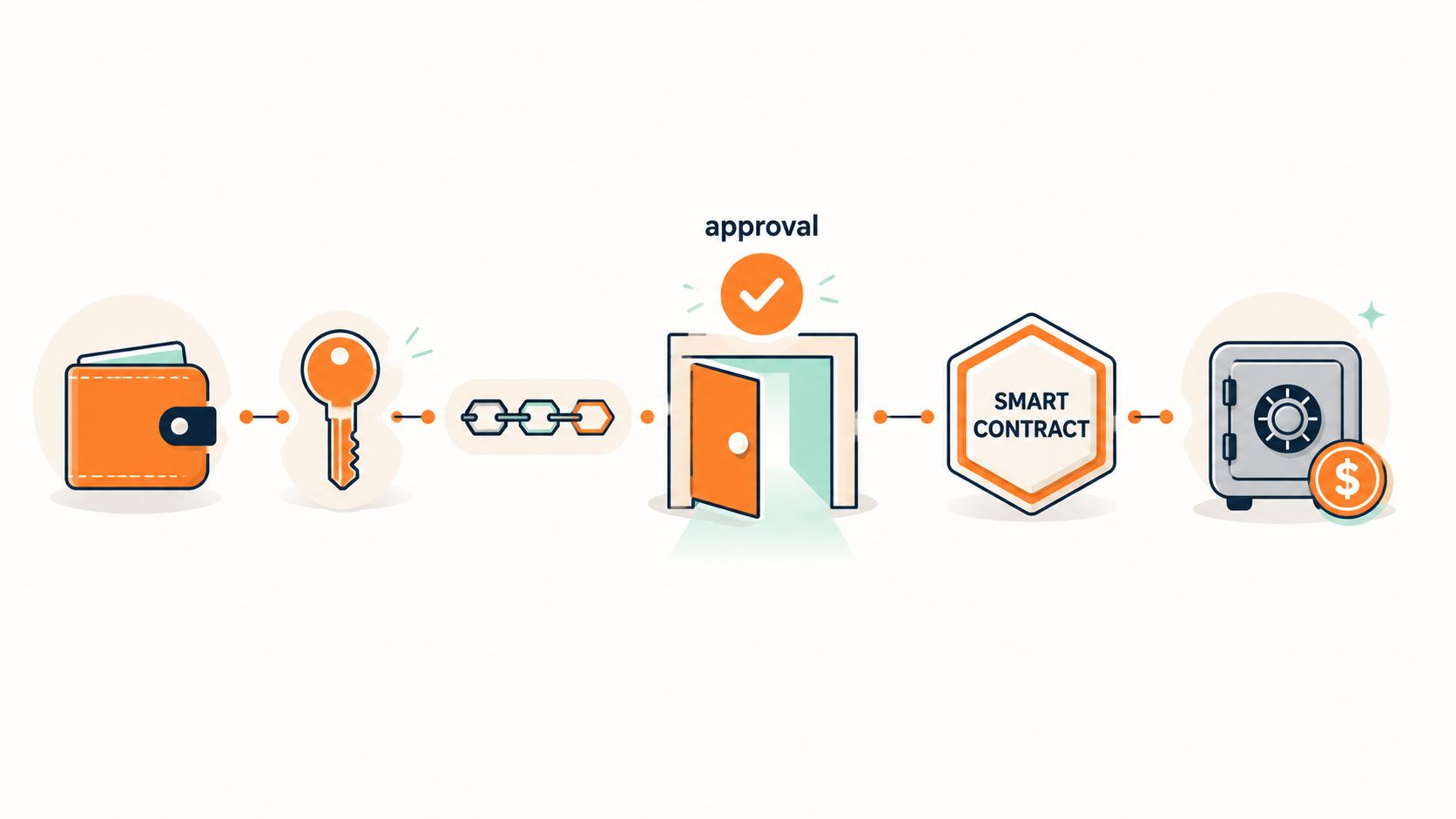
When you sign an approval, you’re telling a smart contract it can spend tokens from your wallet. Up to a set amount, on your behalf. That’s what a token approval is.
Your tokens don’t move when you grant an approval. Ownership stays with you. What changes is that the contract gains spending rights – it can draw on your tokens up to the approved amount when the transaction conditions are met.
Think of it like a direct debit authorisation. The money stays in your account until the payment runs; you’ve just pre-authorised someone else to initiate it.
How Token Approvals Work
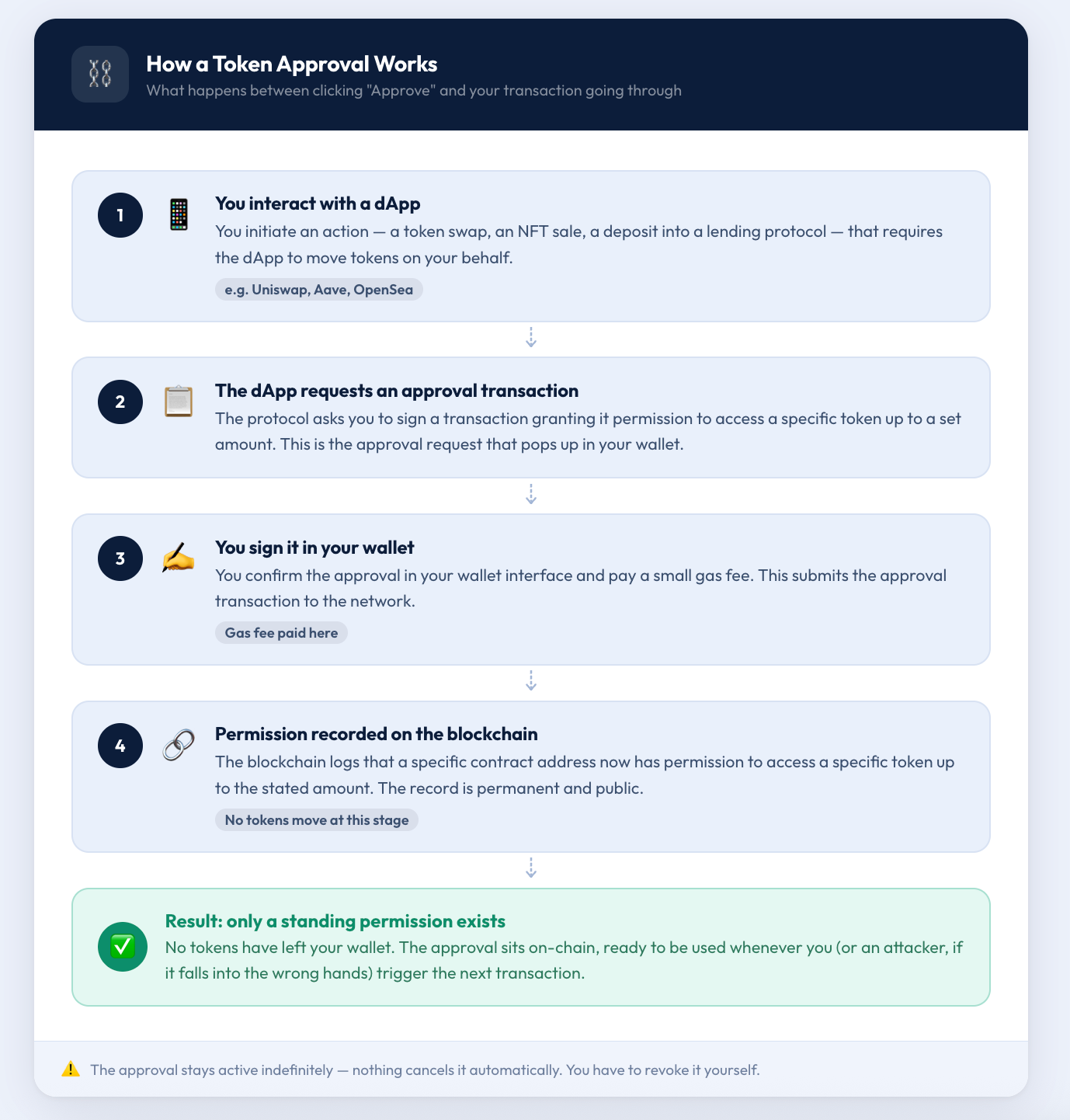
Take a token swap on Uniswap. The protocol needs to pull funds from your wallet to execute the trade – it can’t do that on its own. The same goes for depositing into a lending protocol like Aave, or listing an NFT for sale. The dApp needs your authorisation first.
You sign an approval transaction. That’s recorded on the blockchain – a specific contract address now has permission to access a specific token up to a stated amount. No tokens move at this point. The approval is simply a standing instruction.
One thing catches people out: there’s no automatic expiry. Nothing cancels it automatically. You have to come back and revoke approvals yourself.
How Token Approvals Have Evolved
The ERC-20 standard includes a function called approve() – still what most DeFi protocols run on today. The downside: every approval needs its own on-chain transaction. Gas twice, each time. Once for the approval, once for the actual trade.
EIP-2612 addressed this with permit signatures. Sign off-chain with your wallet; no separate transaction required upfront. Uniswap’s Permit2 extended this further, making gasless approvals work with any token, not just those that had adopted EIP-2612.
Day-to-day, this doesn’t change how you manage approvals. But permit-style approvals can appear differently in your wallet interface, so it’s useful background when you’re reviewing what you’ve signed.
Types of Token Approvals: Limited vs Unlimited
Limited Approvals (Exact Allowance)
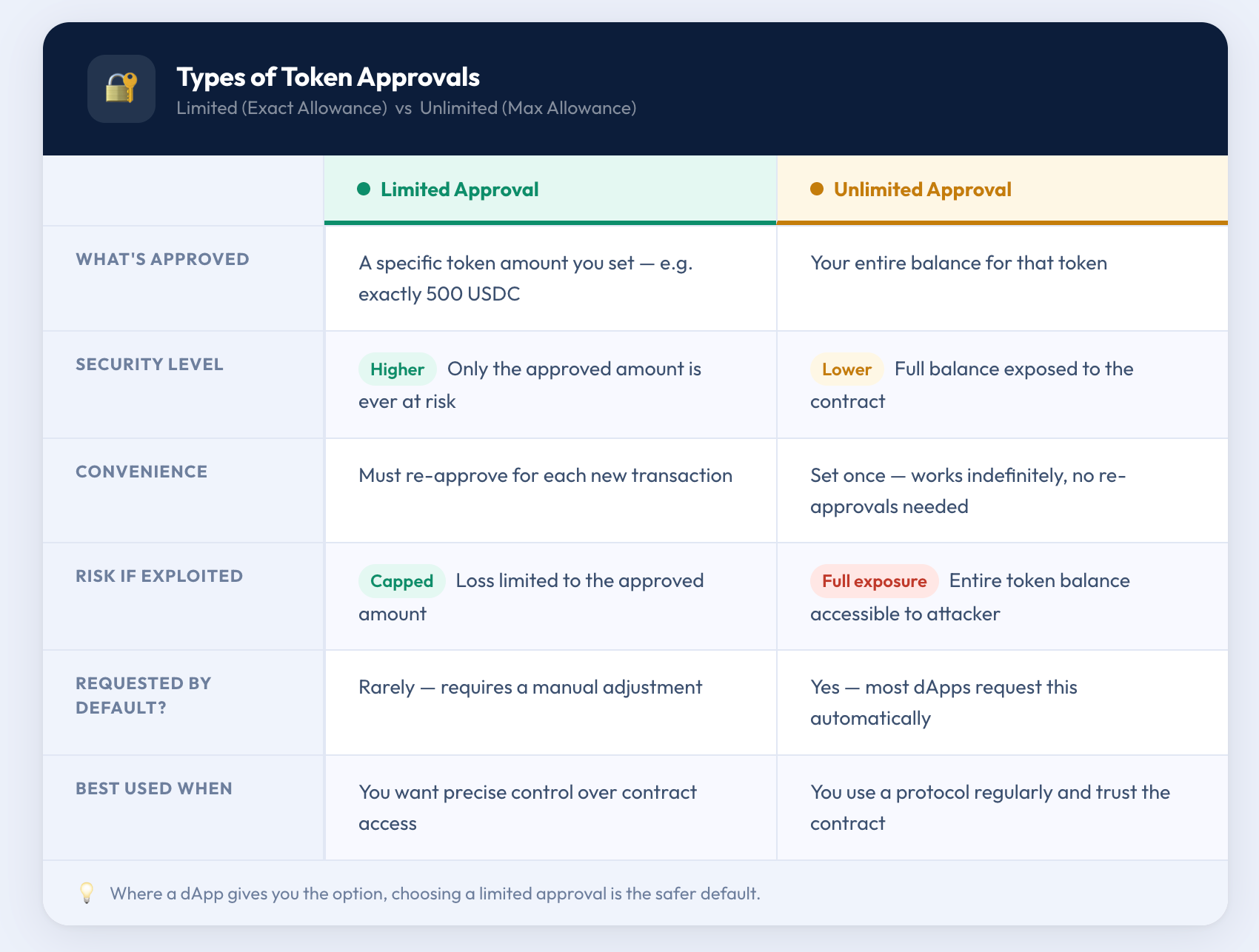
A limited approval lets a contract spend up to a fixed amount – say, exactly 500 USDC. Once that’s used, the contract can’t take more without a new approval from you.
More secure, less convenient. If a protocol gets exploited, an attacker can only access what falls within that approval’s scope, not your entire token balance. The trade-off is that you may need to re-approve for future transactions with the same protocol.
Unlimited Approvals (Max Allowance)
An unlimited approval gives a contract access to your full balance in a given token, now and in the future. Most dApps request this by default because it removes the friction of re-approving each time.
The risk is straightforward: if that contract is ever compromised, everything you hold in that token is up for grabs. Unlimited approvals to protocols you no longer use are the main reason regular approval hygiene matters.
Common Attack Vectors Involving Token Approvals
Phishing and Fake dApps
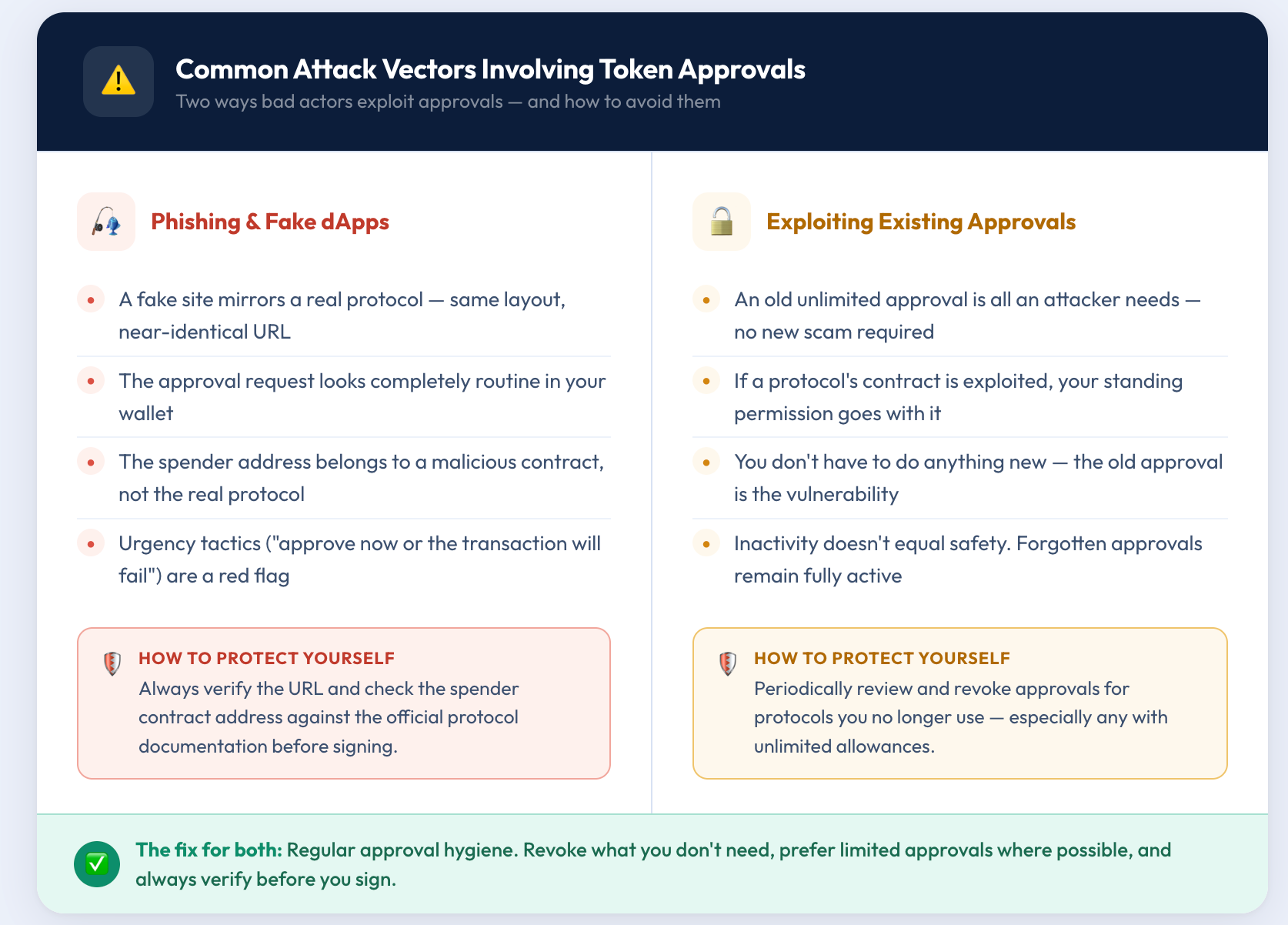
The most common scam is a fake site mimicking a legitimate protocol – similar URL, identical layout, a routine-looking approval request. You sign it, and the spender address belongs to a malicious contract waiting to drain your tokens.
Verify the URL before connecting your wallet. Check that the contract address in the approval matches what the official protocol publishes. If something creates unexpected urgency – “approve now or the transaction will fail” – that’s worth slowing down for.
Exploiting Existing Approvals
Here’s the less obvious risk: you don’t always have to fall for a new scam. If you gave a protocol an unlimited approval two years ago and that contract gets exploited today, an attacker can use your existing permission to access your tokens without you doing anything new.
The old approval is the opening. Clearing out unused permissions takes away that opening before anyone has a chance to use it.
What Does It Mean to Revoke a Token Approval?
Revoking an approval sets a contract’s allowance back to zero. After that, the contract has no access – whatever it was approved for previously no longer applies.
Your existing balances are unaffected. Past transactions stay as they are. The revocation only removes the permission going forward.
Like granting an approval, revoking one requires a transaction and a small gas fee. On Ethereum mainnet this can add up if you’re clearing out many approvals at once; on layer-2 networks like Arbitrum or Base, the cost is typically negligible.
Step-by-Step: How to Revoke Token Approvals
1. Open a Tool and Connect Your Wallet
Head to a trusted revocation tool (see the next section) and connect your wallet. One thing to watch: approvals are network-specific. Ethereum mainnet approvals won’t show up if you’re browsing on Polygon – each network keeps its own records. Working across multiple chains means checking each one separately.
2. Review Active Approvals
The tool will list all active approvals for your wallet on that network. For each one, note which token is approved, which contract (the “spender”) holds the approval, and the size of the allowance.
Pay particular attention to unlimited approvals and any spenders you don’t recognise or haven’t used recently.
3. Revoke Approvals and Confirm the Transaction
Select the approval you want to remove and confirm the revocation. Your wallet will prompt you to sign a transaction – this is the on-chain write that sets the allowance to zero. Confirm it, pay the gas fee, and the revocation is submitted.
4. Verify the Revocation
Once the transaction confirms on-chain, the approval should disappear from your list – or show an allowance of zero. Either way, you’re done.
Tools to Manage and Revoke Token Approvals
Wallet-Native Features
Standard wallets like MetaMask have improved how approval requests are presented – you can now set a custom spending cap rather than blindly accepting the unlimited default. Reviewing and revoking old approvals from within the wallet isn't available yet for most standard users, though. That still requires an external tool.
Blockchain Explorers
Etherscan has a token approval checker built into its navigation under “More.” It shows active approvals alongside contract addresses and allowance amounts, pulling data directly from on-chain records. Transparent and reliable, though the interface takes some familiarity – better suited to users already comfortable reading blockchain data.
Dedicated Platforms
Revoke.cash is the most widely used standalone tool for managing approvals. It supports multiple chains, flags unlimited approvals clearly, and lets you revoke approvals directly from the dashboard after connecting your wallet. Simple to use and regularly maintained.
Security Considerations
Before connecting your wallet to any tool, check the URL carefully. Fake versions of popular revocation platforms exist and are built to look identical to the real thing. Reach these tools through official documentation or verified community links, not through search ads or social media posts. Connecting to the wrong one would be exactly the mistake you’re trying to avoid.
Conclusion
Token approvals are part of how DeFi works. You can’t interact with decentralised applications without granting them, and that’s fine.
What matters is knowing what you’ve approved, keeping track of what’s still active, and revoking what you no longer need. A quick review every few months – or whenever you stop using a protocol – is enough to stay on top of it.
Your private keys control what’s in your wallet. Your approvals control who else can reach it.
Disclaimer: The content provided in this article is for educational and informational purposes only and should not be considered financial or investment advice. Interacting with blockchain, crypto assets, and Web3 applications involves risks, including the potential loss of funds. Venga encourages readers to conduct thorough research and understand the risks before engaging with any crypto assets or blockchain technologies. For more details, please refer to our terms of service.