
Table of Contents
Cryptocurrencies are mostly used via crypto exchanges and wallets. Most big exchange platforms and wallets use strong safety controls, like encryption, fraud monitoring, audits, and 2FA. So, in practice, these tools are reasonably secure.
Still, the actual protection of your funds hinges on your actions with these platforms and related instruments. Due to a mistake, a scam, or the disclosure of sensitive info, your wallet can be compromised, and fraudsters can gain access to your finances.
If you think this may have happened to you, please do not panic and check out our emergency plan. Below, we explain how to recognize when your money is at risk, what actions are worth taking, and what should be avoided altogether.
How to Tell if Your Wallet Has Been Compromised?
Red flags and reasons to check the security of data and crypto tokens include:
- Unknown and suspicious transactions
- Exchanges and trades without a clear action
- Unreasonable token approvals in a crypto wallet
- Pop-ups or signature requests when you are not using a dApp
- Loss of access, login alerts, and sessions on new devices
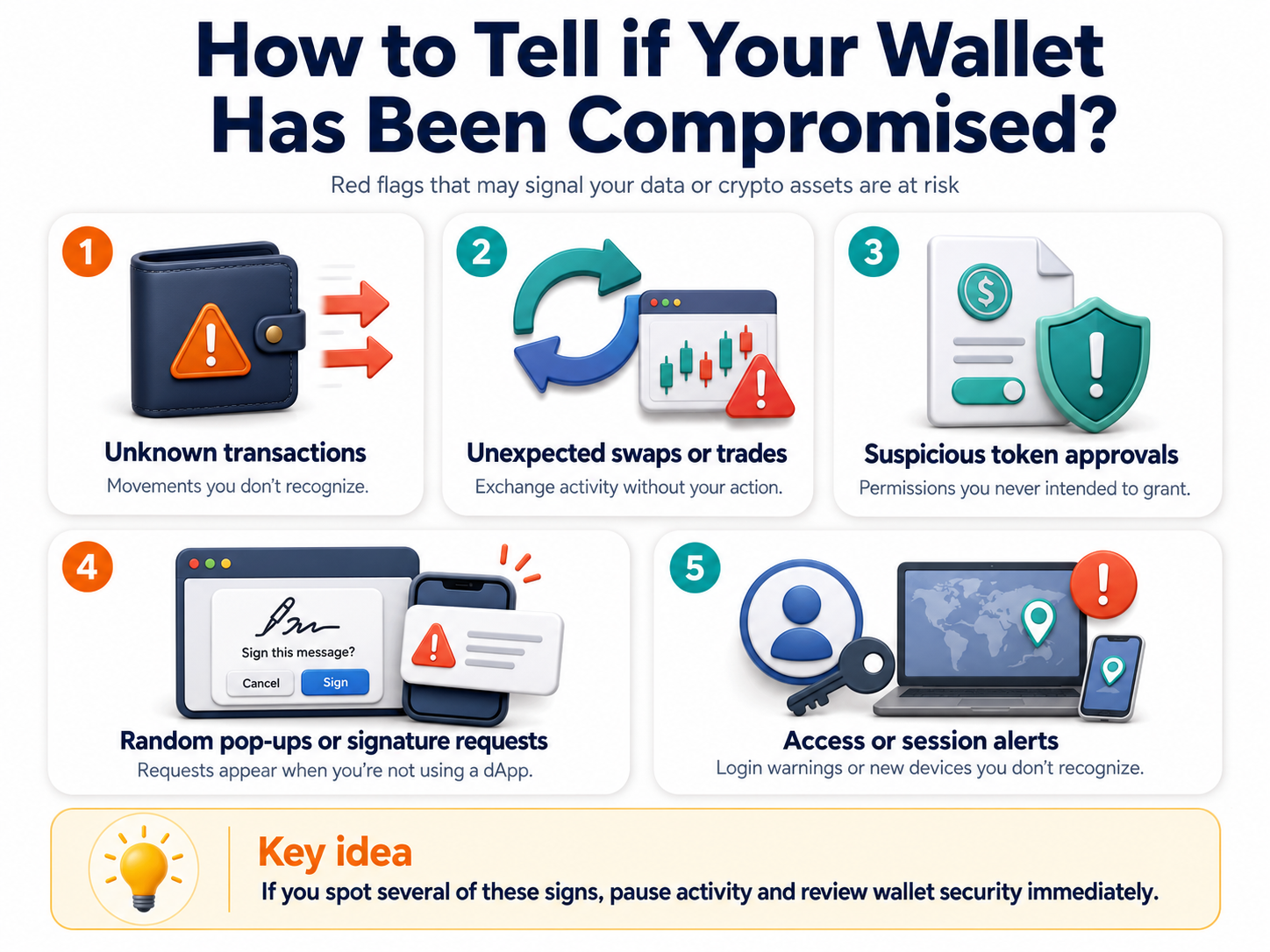
You may see strange smart contract approvals and unfamiliar addresses in your history. Your wallet might ask you to sign a message that you do not recognize. Sudden changes to security settings you did not make are also strong warning signs.
One more reason to act immediately is accidentally sharing your seed phrase. Sometimes, cryptocurrency users may show it on live streams, store it in cloud storage, save it in an unsecured clipboard, or casually send it in chats. If it was exposed, the wallet must be treated as compromised.What Should You Do First?
If you suspect a breach, your actions should be strictly ordered. First, stop taking new risky actions. Secondly, eliminate the source of the problem. You only transfer the cryptocurrency once you complete these two steps.
A compromise may not look like an immediate theft. Attackers can obtain information and permissions first. They wait until significant funds appear in your wallet before they steal them or use sophisticated impersonation tactics to trick you into authorizing malicious transactions.
Stop Interacting With the Wallet
If you were signing transactions or connecting your crypto wallet to new websites, it is best to stop and take a step back. Refreshing the same suspicious links could also lead to issues.
If the source of the issue is unknown, any new actions may increase the damage. For example, if the cause is a malicious site or a phished signature, any click can give the attacker control over your funds. Don’t risk approving a transfer that could drain your wallet.
Disconnect Suspicious Apps and End Sessions
Your next step is to sever connections with suspicious websites, log out of personal accounts, and close crypto-related apps. If possible, turn off the Wi-Fi to cut off any remote access.
Move Remaining Funds Only From a Clean Setup
If you have funds in the compromised crypto wallet, you need to perform safe migration. Open a block explorer and look up your address to identify what the current balance is. If you still have the money, proceed to the transfer. Crypto tokens should only be moved to a new secure wallet created on a clean device.
Please do not transfer money to other people’s accounts, even if they say they represent technical support, assure you that it is secure, or urge you to do so under threat. Do not transfer cryptocurrency to anyone but yourself.
Stolen funds are usually not retrievable. If you fell for a crypto scam, the best thing you can do is save proof like screenshots, transaction IDs, and timestamps. You may need it if you decide to report the theft.
How Do You Secure the Rest of Your Accounts?
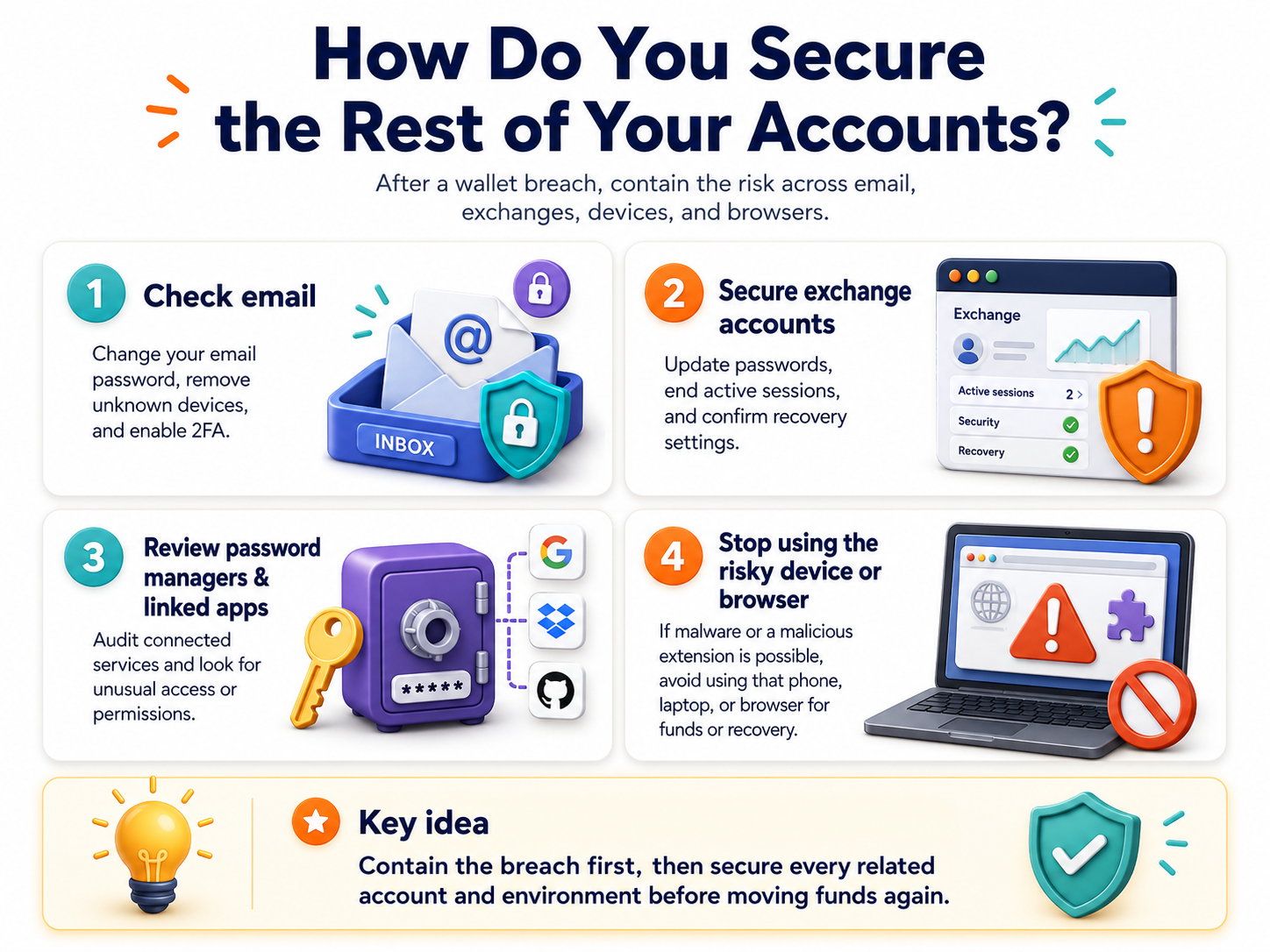
If you have faced one of the crypto wallet hacks, secure your money and then check other dApps and accounts you recently worked with. The problem may be broader than one cryptocurrency wallet.
Attackers often gather data piece by piece to build a profile. So, you need to review your email, crypto exchange accounts, password managers, and browser setup.
Check Email and Exchange Accounts
Your email is often requested for access recovery and action confirmation. In the event of a breach, the attacker could gain access to the services you use. Therefore, update your email password and disconnect any unfamiliar devices. Then activate two-factor authentication.
If the compromised money storage is linked to an exchange, change account passwords and end active sessions. You need containment; that is, you should stop further loss.
Review the Device and Browser Environment
Professionals also recommend stopping work on the browser or device if you think there may be malware or a malicious extension. Some viruses and hacked browser tools are used to gather personal and financial data, show fake security warnings, substitute links, and falsify transaction addresses. Until the cause of hacking is clear, it’s better not to use the same browsing app, phone, or laptop for moving funds or recovering the wallet.
What Should You Do With Token Approvals and Connected dApps?
When you use DeFi or swap coins on a DEX, you grant token approvals. Even if your cryptocurrency has not left yet, the smart contract may receive the right to withdraw tokens later. And an unlimited approval gives a contract access to your full balance.
Common attack types involving token approvals include phishing, fake sites mimicking legitimate protocols, and exploiting existing approvals. The latter is highly dangerous, as you may have given the potential attacker too many rights. You kind of leave the door open.
Revoke Token Approvals and Permissions
Review token approvals and revoke anything unnecessary as soon as you can. Old or unclear permissions should be removed, especially if they give broad access to tokens. Note that changing permissions does not return the cryptocurrency the attacker has already moved. But it definitely reduces the risks in the future and stops the current losses.
Disconnect the Wallet From dApps
If you have linked your crypto wallet to the DApp and are unable to identify it, it’s advisable to consider it unsafe and disconnect your wallet from it. And if you suspect a breach or an outdated and vulnerable dependency, refrain from reconnecting until you have verified the tool on a separate device and transferred funds.
Our to-do checklist:
- Record all suspicious transactions and theft evidence.
- Protect your email, browser, and accounts on the exchange.
- Transfer the remaining funds to the newly created crypto wallet.
- Use a new device and a browser to create a safe wallet.
- Revoke all active token approvals and broad permissions.
- Close suspicious sites and disconnect the wallet from dApps.
- Immediately stop signing new transactions.
Should You Contact an Exchange, Wallet Provider, or Authorities?
Sometimes there is such an option. Use it only after a real theft or unauthorized access, not just in case of accidental disclosure of sensitive information.
If the stolen funds have been transferred to a centralized exchange, contact the support service or the anti-fraud department. The exchange can mark or freeze the attaker’s account before the funds are withdrawn.
If your cryptocurrency was received in a decentralized application, the situation becomes more complicated since there is usually no support service. In this case, revoke all permissions, document the transaction, and report the incident through the official reporting channel, if one exists. If the stolen amount is large, you can contact relevant authorities.
What Should You Avoid After a Crypto Wallet Compromise?
When creating a new address, do not use the same seed phrase. If it has been stolen, every address associated with it is compromised. You need to get a new seed phrase.
Never enter your seed phrase on random recovery websites, as scammers often hunt for recent cryptocurrency crime victims and take what’s left. These are recovery scams.
Do not reply to strange messages on Telegram or X from people who claim:
- They can trace and return stolen tokens
- They represent support and can help you
- You have to send additional funds to “unlock” a frozen transaction
And never pay them for any services because these are fake promises.
How to Lower Risk in the Future
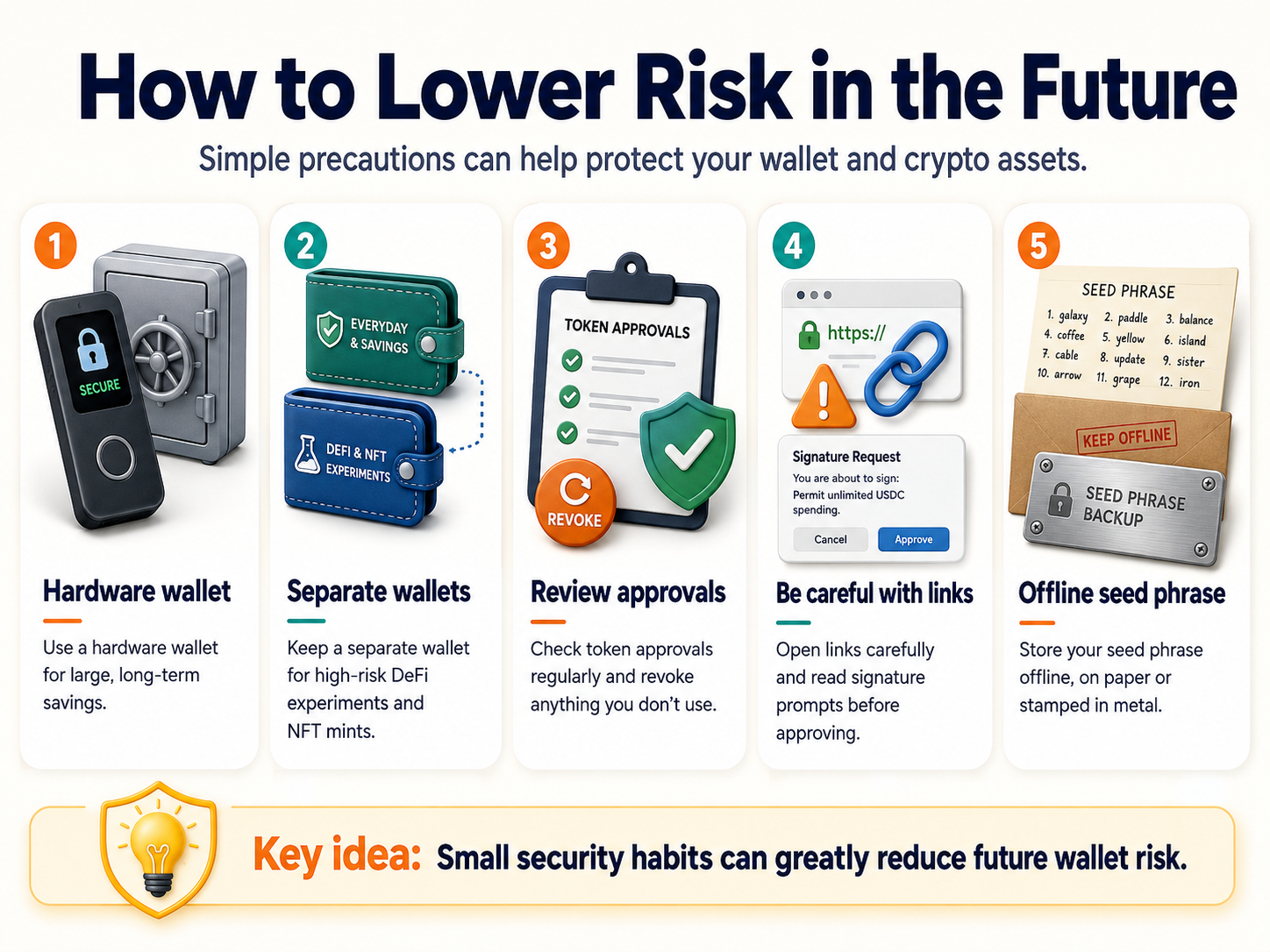
Personal wallet hacks account for 37–44% of all stolen cryptocurrency. You have to be serious about taking precautions. Here’s what is advisable to do:
- Buy a hardware crypto wallet for your large, long-term savings.
- Keep a separate wallet for high-risk DeFi experiments and NFT mints.
- Perform checks on your token approvals and revoke anything you don’t use.
- Be very careful with links, and read the signature prompts carefully.
- Store your seed phrase offline, either written on paper or stamped in metal.
What Is the Main Rule in a Wallet Emergency?
So, if you suspect hacking or data leakage but you still have the money, do not panic. Stop all actions, close strange sites, interrupt sessions, and turn off the internet. Then disconnect the wallet from apps and check the approvals and withdrawal settings. Prepare new, clean storage. Transfer the money to YOUR address.
Only then should you find out the cause of the hack and prevent the next leaks or thefts. Change your email passwords, review and delete unwanted smart contract permissions, and run an antivirus check. Log in to crypto wallets using a browser profile without extensions.
If you had an incident, contact the exchange or wallet provider and provide them with the transaction hash, destination address, times, and anything else that relates. Maybe if you act quickly, they can help. But it doesn’t always work out, so don’t expect a refund. Be careful!
Disclaimer: The content provided in this article is for educational and informational purposes only and should not be considered financial or investment advice. Interacting with blockchain, crypto assets, and Web3 applications involves risks, including the potential loss of funds. Venga encourages readers to conduct thorough research and understand the risks before engaging with any crypto assets or blockchain technologies. For more details, please refer to our terms of service.