

Table of Contents
More than 6,000,000 users have installed 57 suspicious extensions found in Chrome. Edge, Firefox, and Safari users also can face dangerous browser-based tools. These extensions can harm your privacy if they monitor activity, redirect you to fraudulent websites, and run strange scripts.
As a browser is often the way to access crypto accounts, wallets, and Web3 apps, it’s crucial to review the tools you use every day. You need to know which extensions could compromise your financial security and which permissions to avoid.
Below, we will discuss the threat that suspicious plugins pose and ways to reduce the risk to your crypto wallet and keep your online accounts fully safe.
Why Does Browser Security Matter for Crypto Users?
Not only obvious phishing websites constitute a risk to your data and money. It can come from extensions that you already trust. An add-on could turn into a vulnerability.
Of course, not all browser extensions are dangerous. Many of them are safe and provide extra functionality, making life easier. The most popular tools include Grammarly, AdBlock, DeepL, and Loom. They can help you create correct texts, manage passwords, block ads, run antivirus checks, and more.
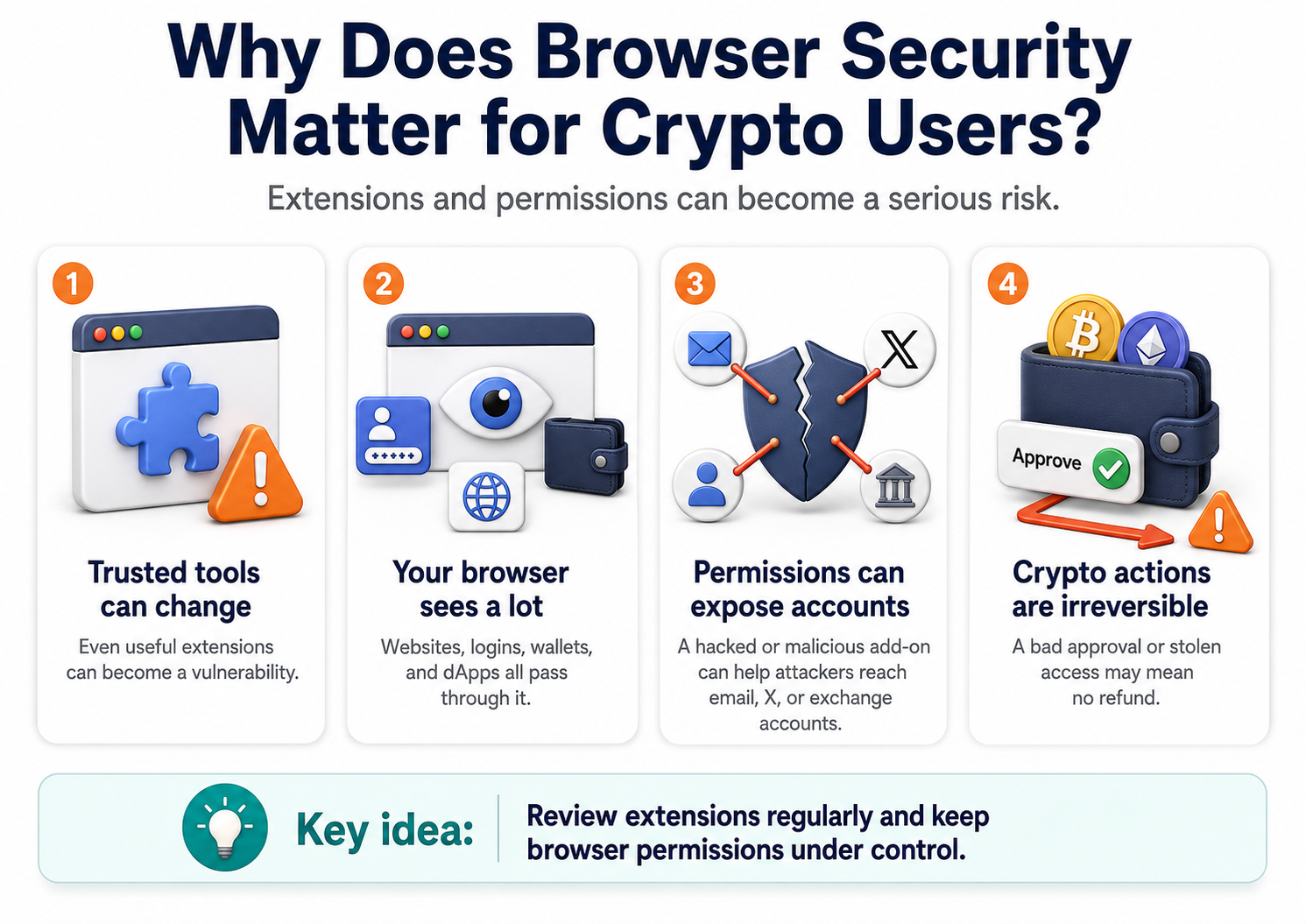
Still, your browser sees most of your actions. It has access to websites, login forms, crypto wallets, and dApps. If a browser extension or a software-as-a-service tool with broad permissions is hacked or initially malicious, it can compromise several important access points, from email or X to exchange accounts.
Attackers can combine the data they’ve gathered and use permissions to beat verification systems or steal money. For crypto users, auditing extensions is especially important because transactions and wallet approvals are irreversible. You won’t be able to complain and get a refund. So, professionals recommend keeping an eye on your browser security.
How Can Browser Extensions Become Dangerous?
The common risks related to web browsers and their add-ons include:
- Phishing attacks via fake login pages and emails
- Unauthorized data extraction during unsecured sessions
- Impersonating users after gaining access to their data
- Malware delivery by exploiting browser vulnerabilities
Compromised tools may be legitimate-looking but hide unsafe code. Importantly, not only new or unknown extensions carry these risks. Any software installed in your browser can be manipulated. Attackers look for vulnerabilities in popular web apps or buy extensions from original developers to use them for illegal purposes.
Recent reports show a rise in crypto wallet thefts tied to hacks of trusted browser instruments. For example, in the Trust Wallet’s Chrome extension incident, a malicious update harmed about 2,520 wallets and resulted in the theft of $8.5 million.
The attackers didn’t need to hack into users’ devices. They pushed trojanized code through the marketplace. The same thing can happen with any extension, not just the wallet app, and affect the finances you keep.
Many people install an extension, use it, and then forget to turn it off. It's working constantly. And if a system has excessive permissions or is compromised, users may disclose their personal or financial data and become vulnerable to fraud.
Even partial data access can be used to authorize a fake transaction or cause security issues. Users often look at the extension’s function but do not understand what access it gets to pages. Let’s see which permissions are used to collect more data than necessary and must remain limited.
Browser Extension Permissions That Should Alert You
Software programs for web browsers change the user experience. To do so, they have to get into the core browser architecture. They have configuration files that dictate what the extension is allowed to do.
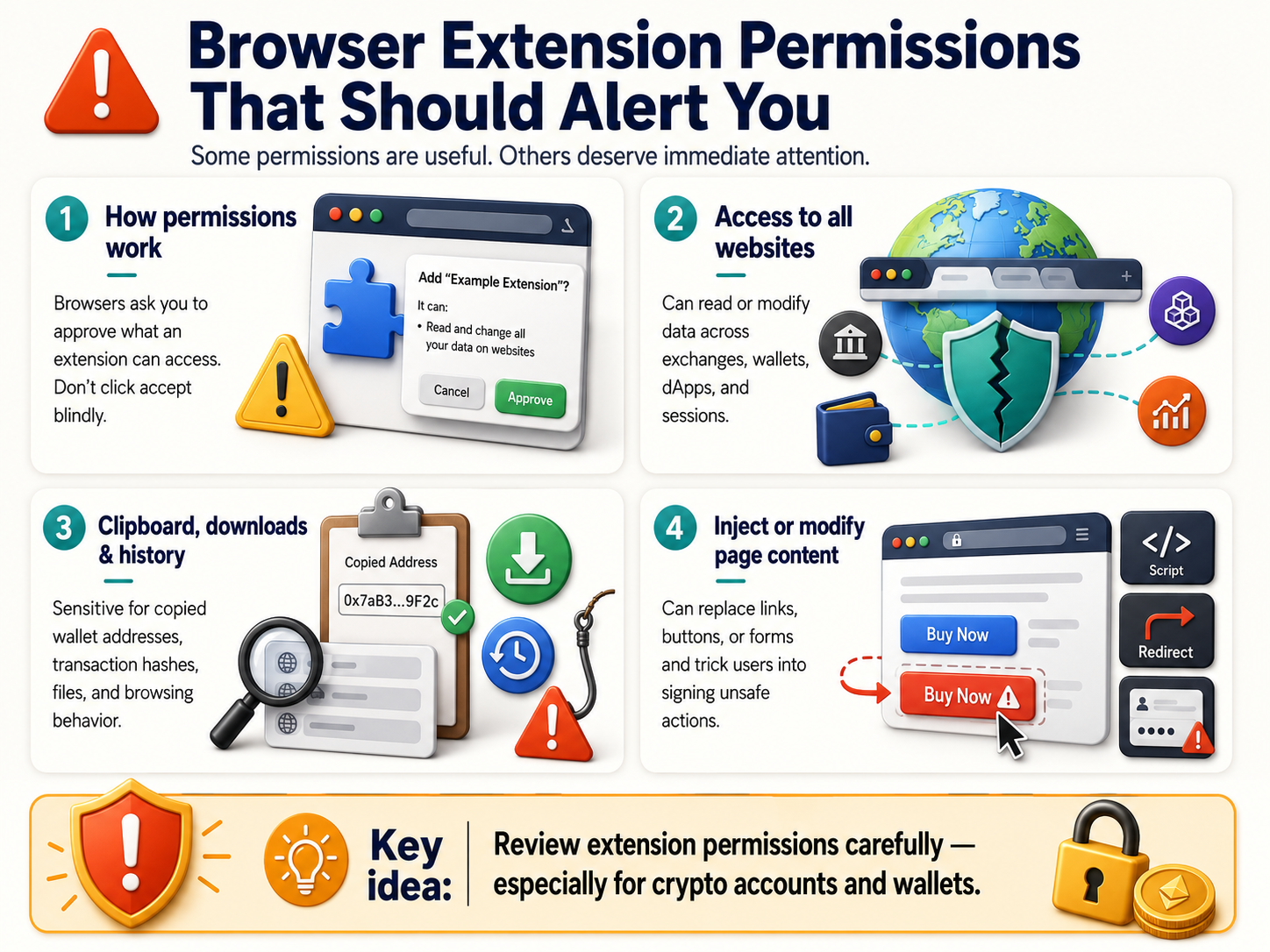
When you install a tool, the browser prompts you to approve access requests. Many people click accept without reading the warning. Unfortunately, this can grant the software system-level access to your daily online activities.
Some permissions are required for basic functions. However, granting excessive access can help scammers trick users into revealing credentials or steal funds. Therefore, certain permissions require immediate attention.
Access to All Websites
The broader the access, the greater the potential damage. For example, permission to read or modify data on all websites is the first thing you should disable. An extension sees what you do on an exchange, wallet interface, or dApp, including file sharing and money transfers.
If an attacker hacks a plugin with this permission, they can undermine your browser security and monitor your sessions, see your wallet details, requests, and current balances, steal session cookies, or gather details for future attacks.
Access to Clipboard, Downloads, or Browsing Data
Clipboard access is also very sensitive. Crypto users often copy addresses, wallet links, transaction hashes, and public or private keys. If hackers get this information from the clipboard, their funds could disappear.
Your downloads and browsing history can also reveal your behavior and increase the risk of targeted phishing. Attackers operate in long and complex cycles. If they know which cryptocurrency exchanges you visit, they can create fake websites specifically for you.
Permission to Inject or Modify Page Content
Sometimes an extension can directly interact with elements on your screen. Normally, this is needed for useful functions like grammar checking or AI-augmented translation. But if used for criminal activity like exchange heists or crypto scams, this permission allows replacing links, buttons, or forms.
Attackers can use extensions to inject scripts that capture user input, change logins, redirect payments, and remove security warnings. If they make a fake form look legitimate, the user is likely to sign the transaction thinking it is safe. Then it will be difficult to determine why the funds went to a weird unknown address.
The Most Common Browser Extension Risks For Crypto Users
When you use crypto, installing browser extensions should not be taken lightly, as some of them can contain unwanted ads, redirect searches, or steal credentials. We described some cases of how browser-based tools with broad access can be used for phishing, scams, adware, and other illicit activity.
- Fake wallet extensions. When users search for a popular wallet, they may accidentally download a visually identical copy created by hackers. Many thefts are largely attributed to dangerous cryptocurrency-themed extensions that are wallet drainers. For example, a fake ledger Chrome extension stole $2.5 million.
- Malicious security extensions. Another issue is related to using unverified tools that promise to protect your crypto but harvest your data instead. Add-ons can capture cookies and transfer login data to attacker-controlled servers. Tools with hijacking functionality infected 2.3 million users across Chrome and Edge.
- Fake wallet security update scams. A malicious extension can display suspicious pop-ups and urgent warnings saying your wallet is at risk or you’re missing a significant reward. Then it can send fake transaction-signing prompts that trick users into entering their crypto account details or approving transfers that drain funds.
- Man-in-the-browser attacks. To steal information or money, attackers want to sit between the user and the site. For example, the Razy Trojan installs extensions on Chrome and Firefox and targets crypto users. It shows them lucrative offers, substitutes wallet addresses or QR codes, and steals cryptocurrency.
- Phishing pages that look like exchanges. Users can mistakenly open sites that mimic Coinbase, Kraken, or MetaMask and enter credentials, codes, and OTPs. Once they sign in, attackers take over the account and move the funds out. Phishing via page injection using fake airdrop pages and address replacement scripts is one of browser based attacks performed via extensions.
Not every scam looks like a scam. You might think that you are just installing a productivity tool, a wallet helper, or a portfolio tracker. Many malicious tools use fake reviews and download counts to look trustworthy. Many are safe but can be hacked and become a threat later. That is why you must check both the extension itself and its permissions.
Where to Review Your Extensions and Permissions?
To lower your exposure to threats, you should be careful and pay attention to the permissions that extensions require.
If you have extensions, learn more about them. Open the extensions page from the menu if you use Chrome or Edge. In Firefox, open the Add-ons Manager and check the Permissions tabs. In Safari, use the Extensions panel.
Remove anything you don’t recognize or no longer need. Then open each tool’s details to inspect its permissions. It’s advisable that they have little to no access to your clipboard, browsing history, or reading and changing data on websites.
If you are installing new software, check its name, publisher, reviews, and site access settings, especially if the software can run on all sites by default. Install extensions only from official stores, as their security experts delete malicious options. Also check whether the permissions match the functionality of the software. If you cannot find a logical reason why the tool requires certain permissions, it’s best not to install the extension.
What Browser Habits Help Protect Your Wallet?
For crypto users, it’s better to have a minimal set of extensions in the browser where wallet and exchange accounts are opened. If software is not directly related to your daily trading operations, it should not have access to crypto-related sites. Alternatively, use a separate profile without extensions.
You should grant your browser extensions only granular visibility, monitor file uploads, and regularly uninstall tools you do not use. When in doubt, one of the best practices is to restrict anything odd, unnecessary, or overly broad.
If an extension that you have been using for a long time asks for new permissions, this should raise concerns. The tool could have been hacked or sold. It’s advisable to avoid keeping potentially risky add-ons.
Before connecting a wallet, logging into your exchange, or initiating a transaction, verify the URLs. Most importantly, never store a seed phrase in the browser, password manager notes, or cloud documents.
What to Do If Your Extension Looks Suspicious?
To mitigate the risk of data leaks and threats, if you notice any strange software behavior, disable unnecessary permissions or remove it from your browser. But do not stop there.
Clear all active sessions and delete cookies. Change passwords for any sensitive accounts you recently accessed. Then review your wallet approvals and transactions to ensure there were no unwanted transfers. If you need to reinstall the tool, use only verified sources.
Conclusion: What Should You Remember First?
Browser extensions can be abused by hackers. Using them, attackers can access your personal data, crypto wallets, and exchange accounts. They employ phishing, install malware, send fake messages, and ultimately steal your money.
Therefore, it’s very important to be aware of the threats and be attentive to all extensions, even those not directly related to cryptocurrencies. Users should monitor what already lives inside the browser. Extension permissions should be reviewed and kept limited because any update or virus can take control of the data the tool reads and edits.
If your browser suddenly becomes slow or crashes when accessing crypto sites, investigate immediately. Dangerous tools and excessive permissions are a risk. They sit directly between the user and the wallet. That layer must stay as clean as possible.
Disclaimer: The content provided in this article is for educational and informational purposes only and should not be considered financial or investment advice. Interacting with blockchain, crypto assets, and Web3 applications involves risks, including the potential loss of funds. Venga encourages readers to conduct thorough research and understand the risks before engaging with any crypto assets or blockchain technologies. For more details, please refer to our terms of service.